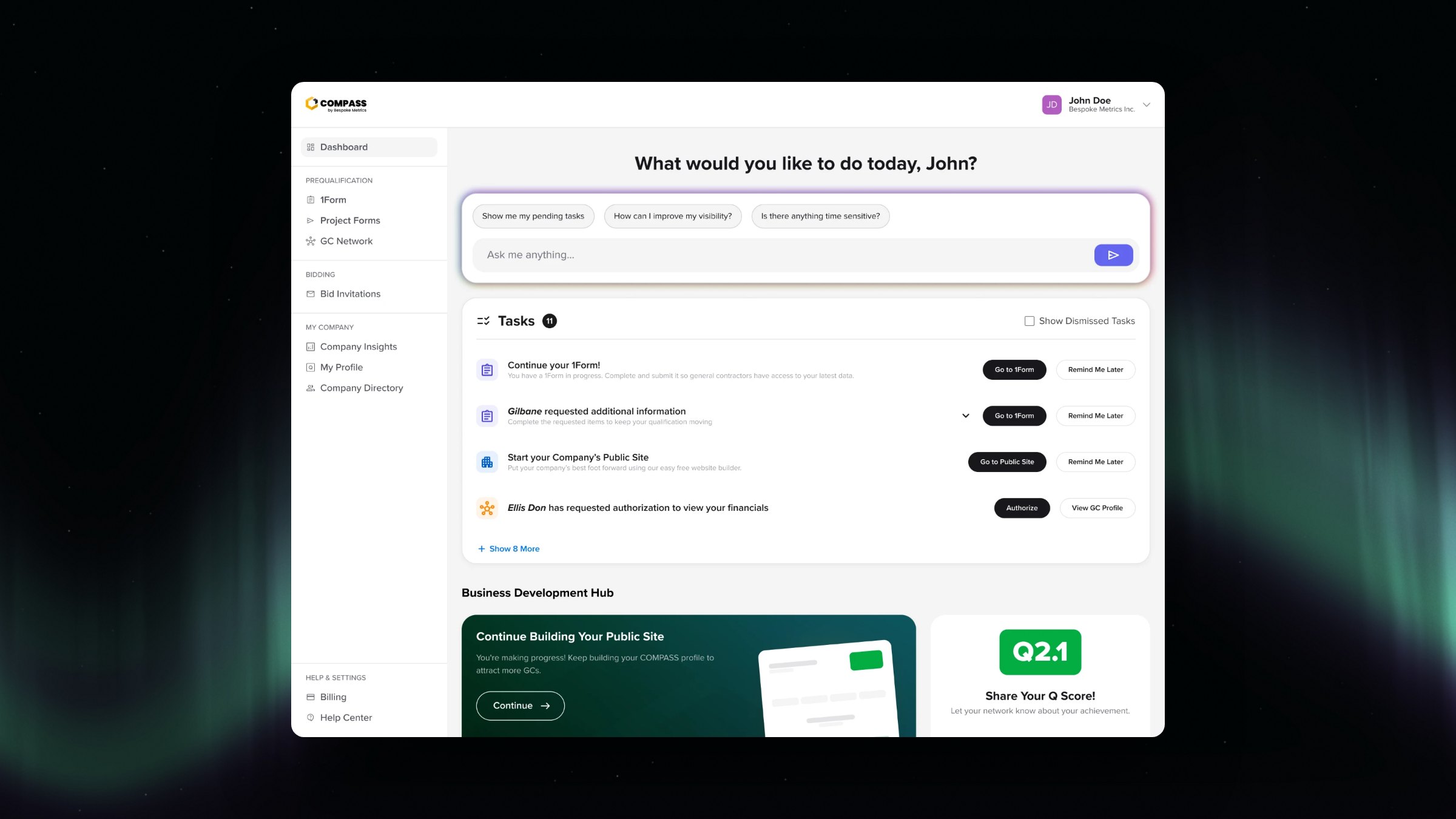
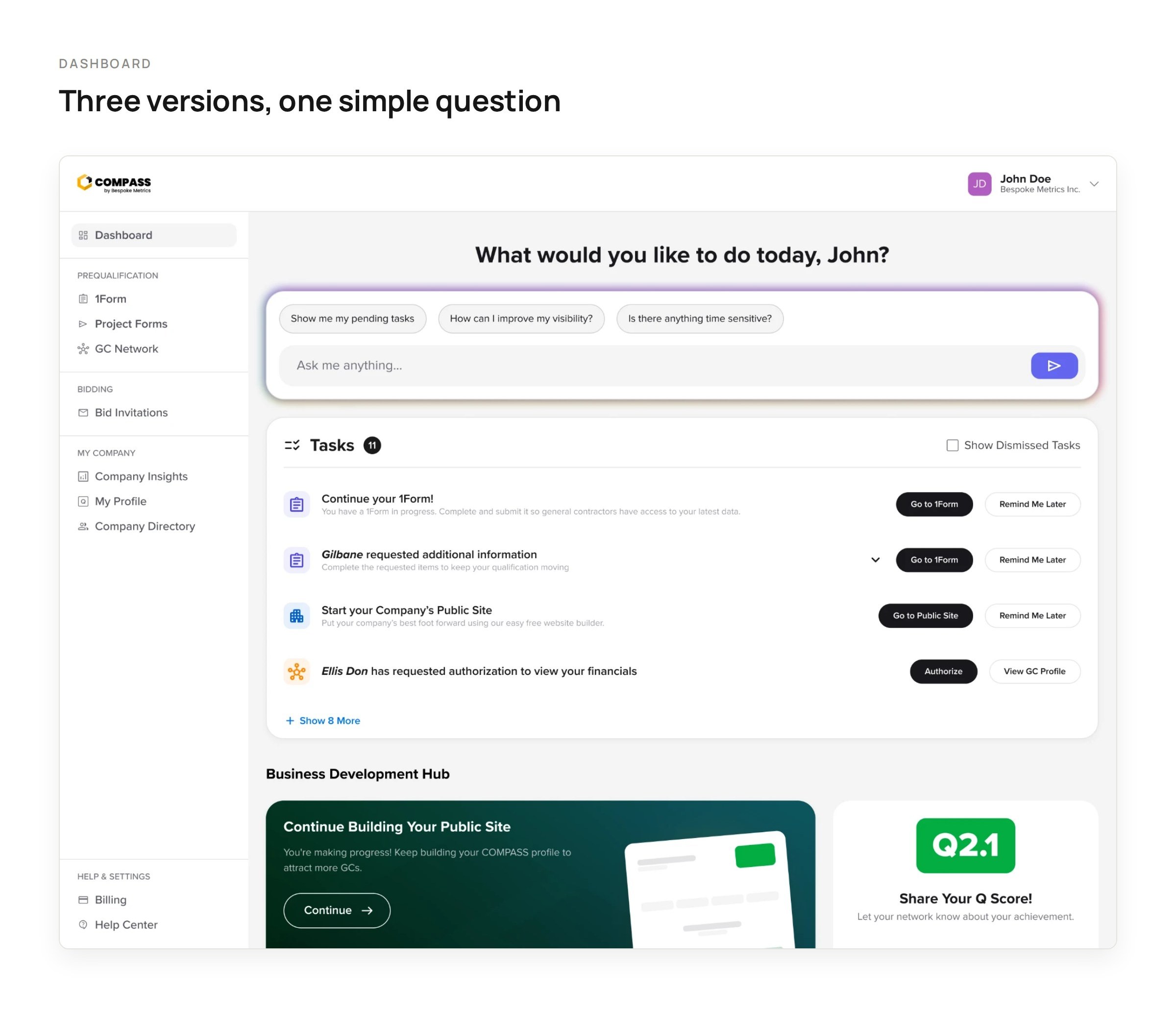
The redesigned COMPASS dashboard, opening with an AI prompt and a prioritized task list
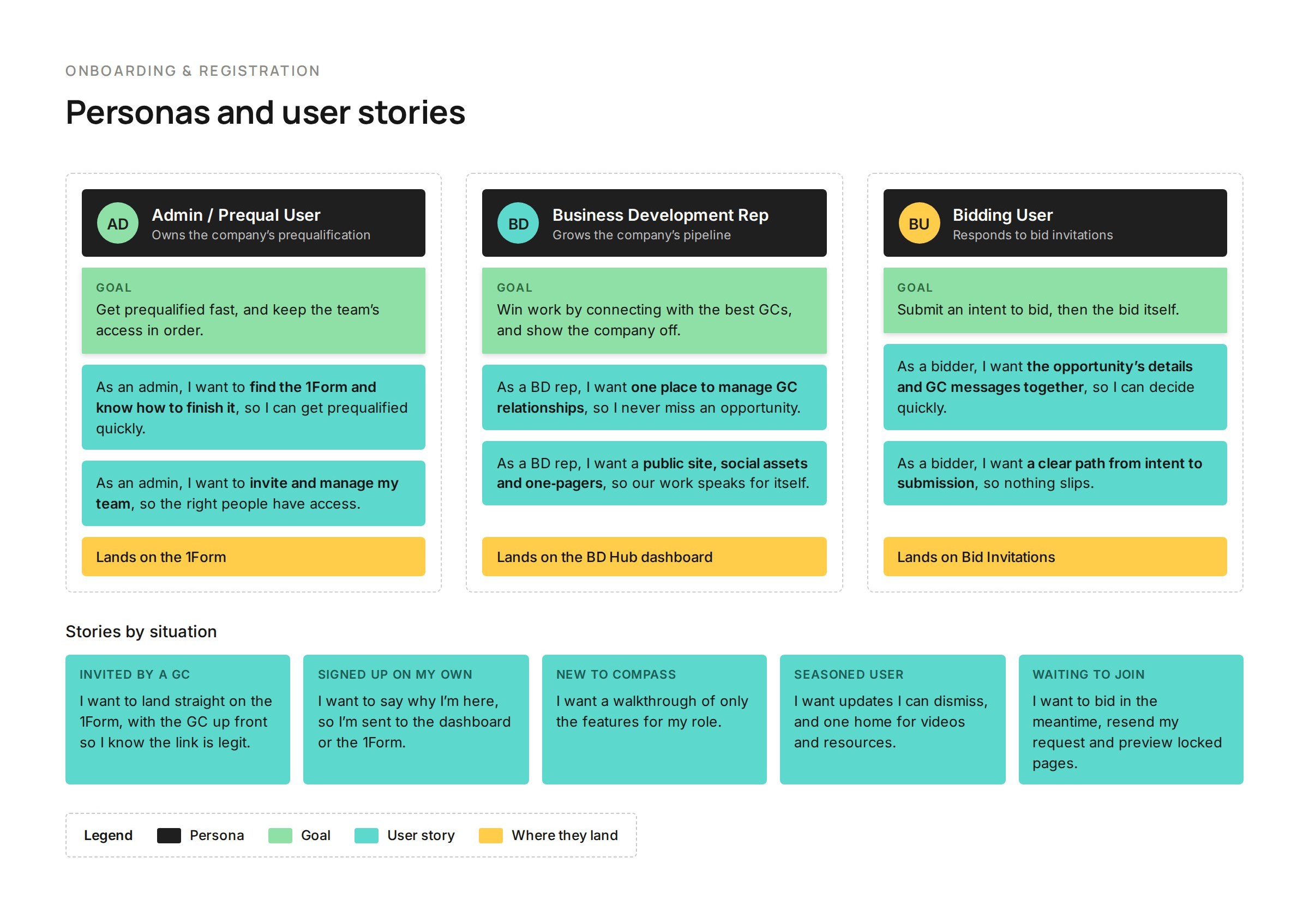
Personas and user stories: the admin, business development rep and bidding user, each with a goal, user stories and where they land, plus stories for five sign-up situations
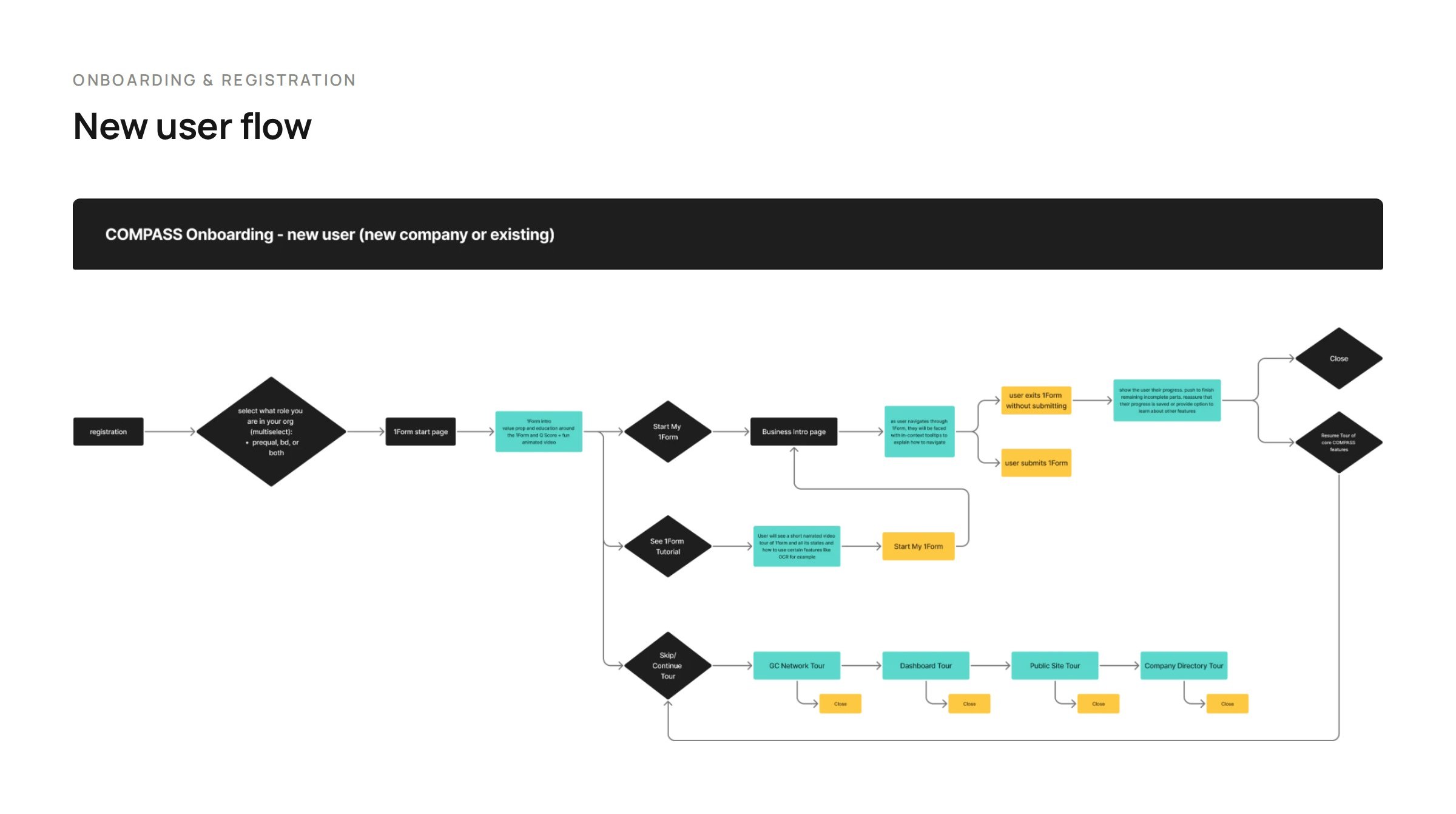
The new user onboarding flow, from registration and role selection to the 1Form, a tutorial or a tour
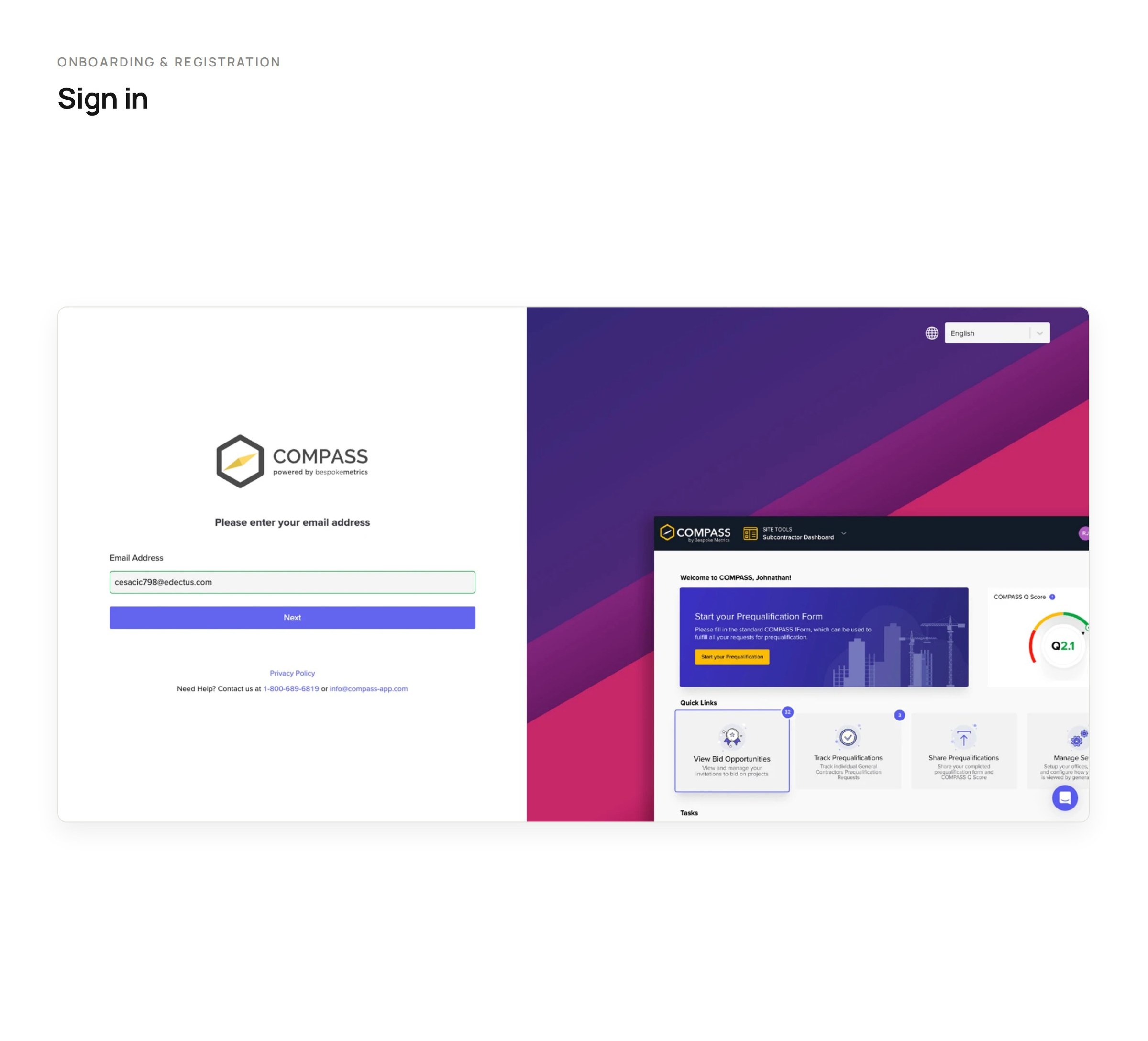
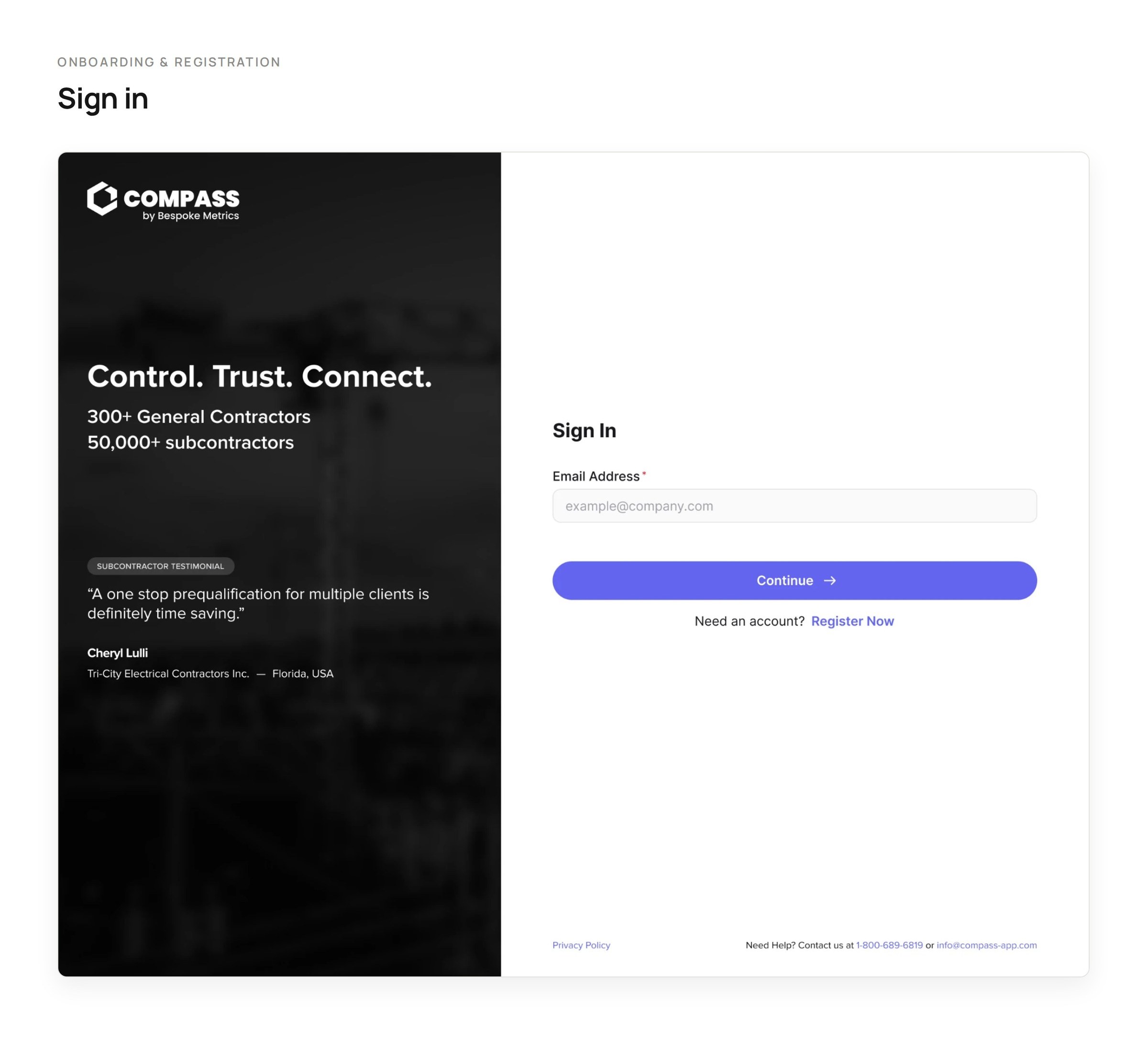
The old sign in, beside a static screenshot of the platformThe new sign in, with a panel of social proof and a subcontractor testimonial
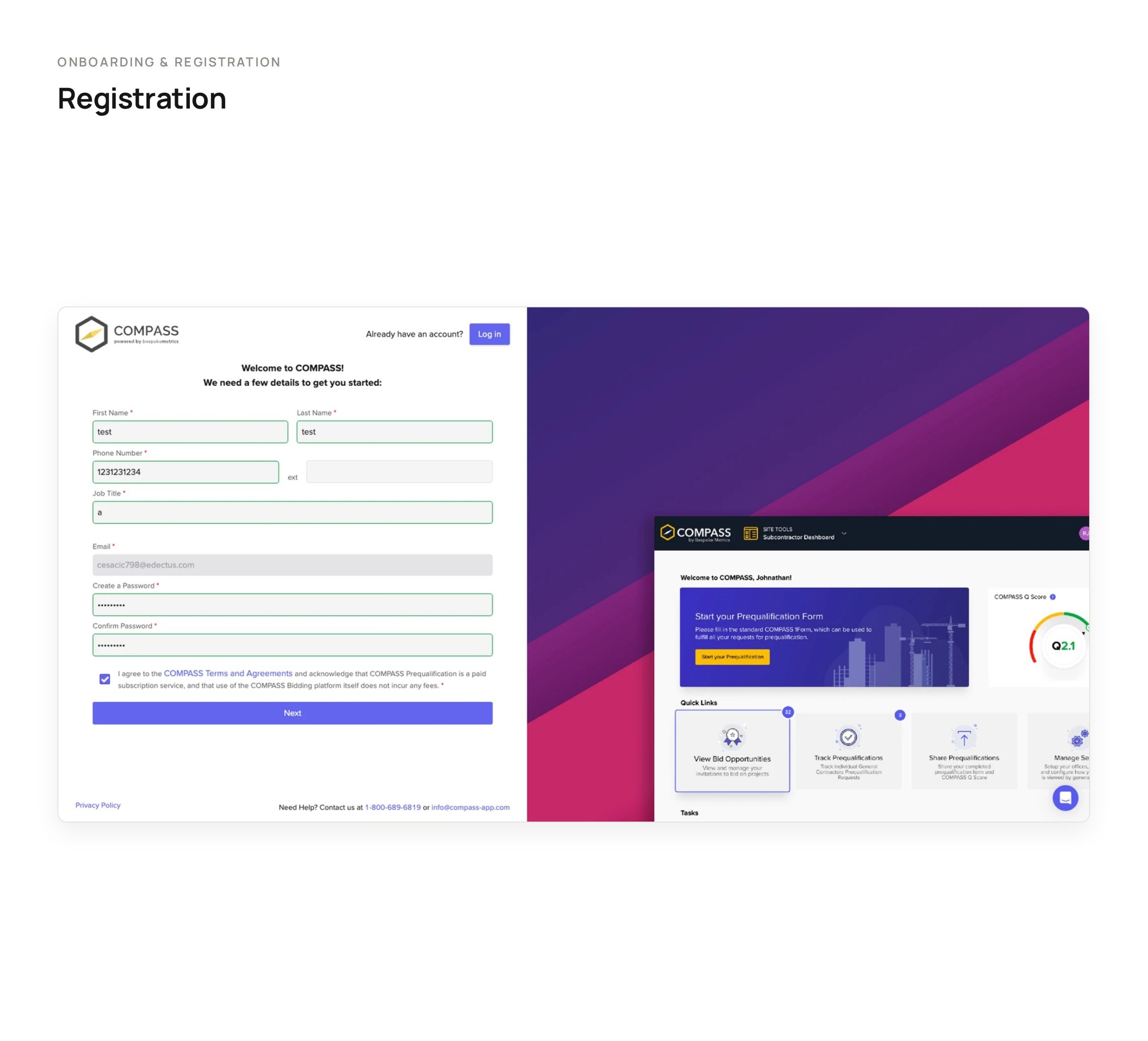
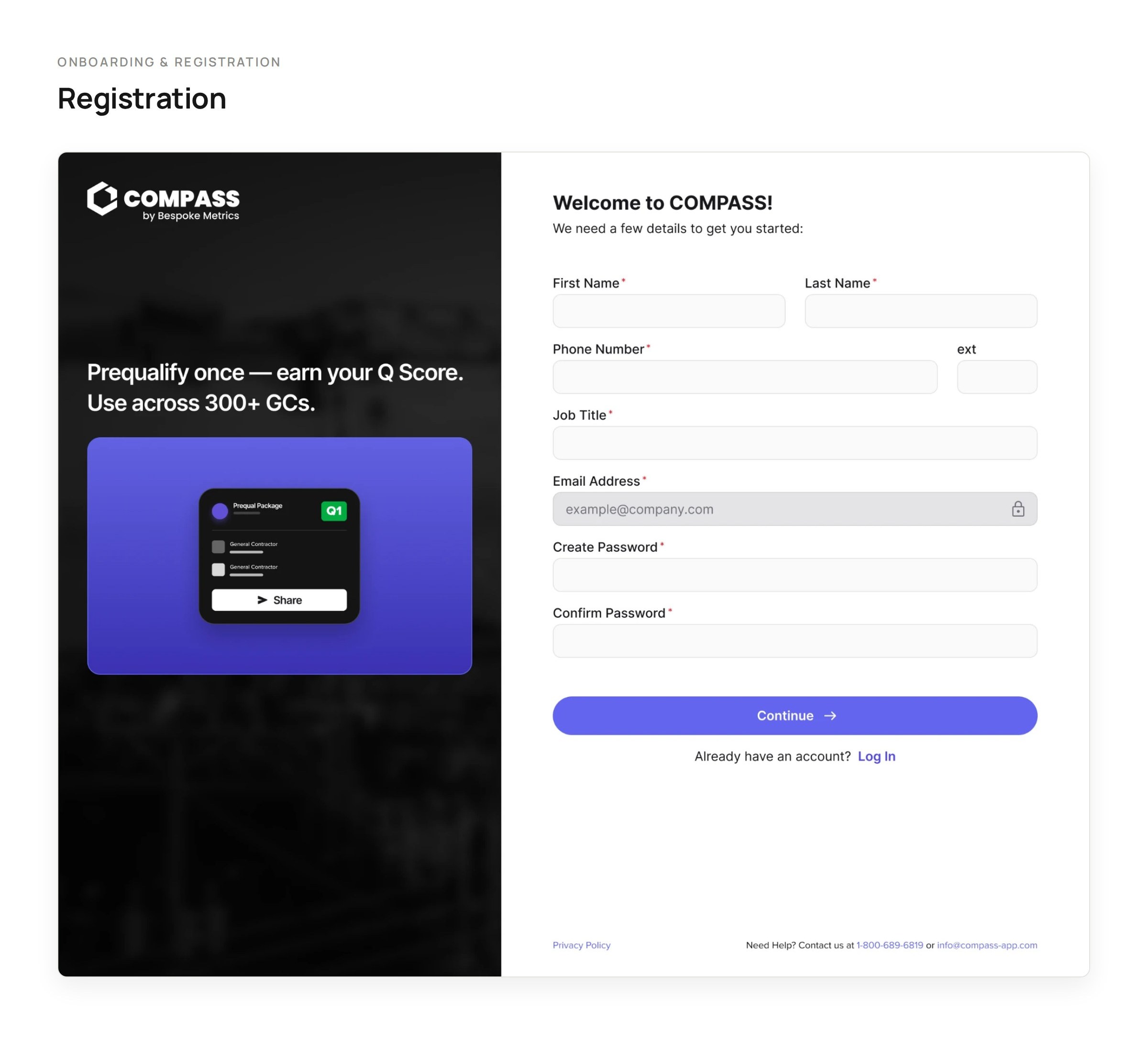
The old registration form, beside the same static screenshotThe new registration form, with a panel about earning a Q score once for 300+ GCs
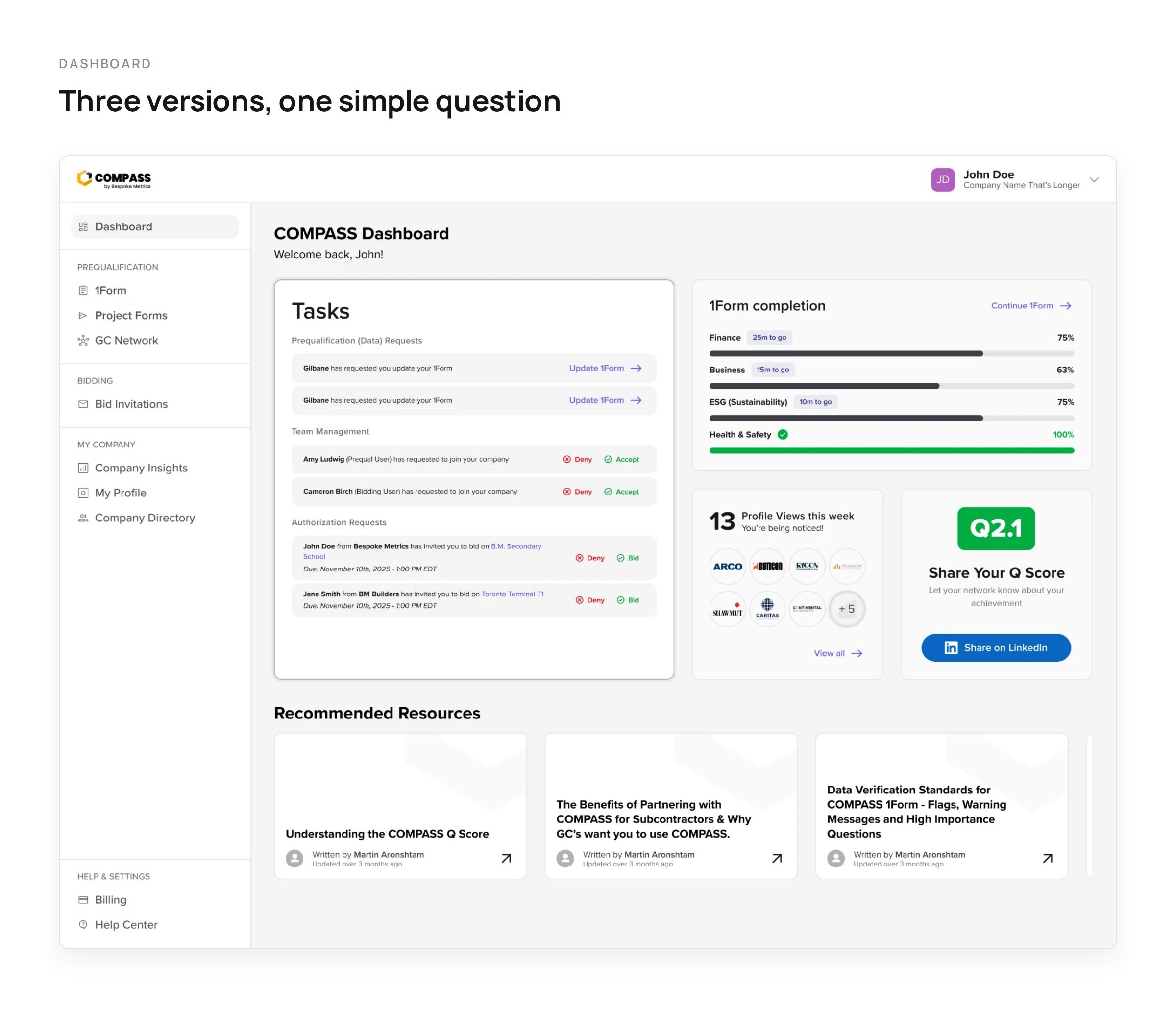
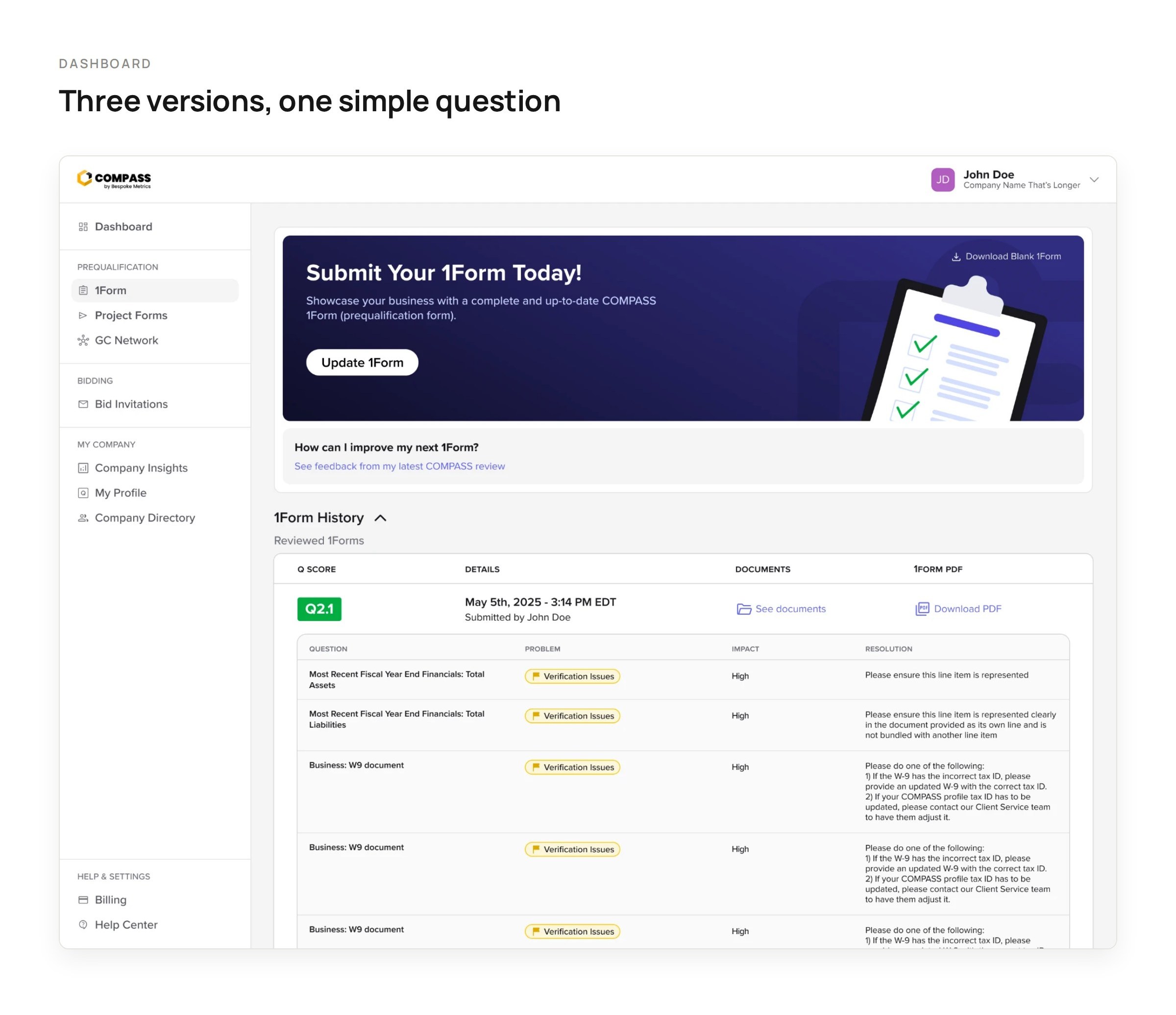
Dashboard version 1: tasks, 1Form progress, profile views and resources all at onceDashboard version 2: focused on submitting the 1Form, with feedback from the latest reviewDashboard version 3: an AI prompt, a prioritized task list and the Business Development Hub
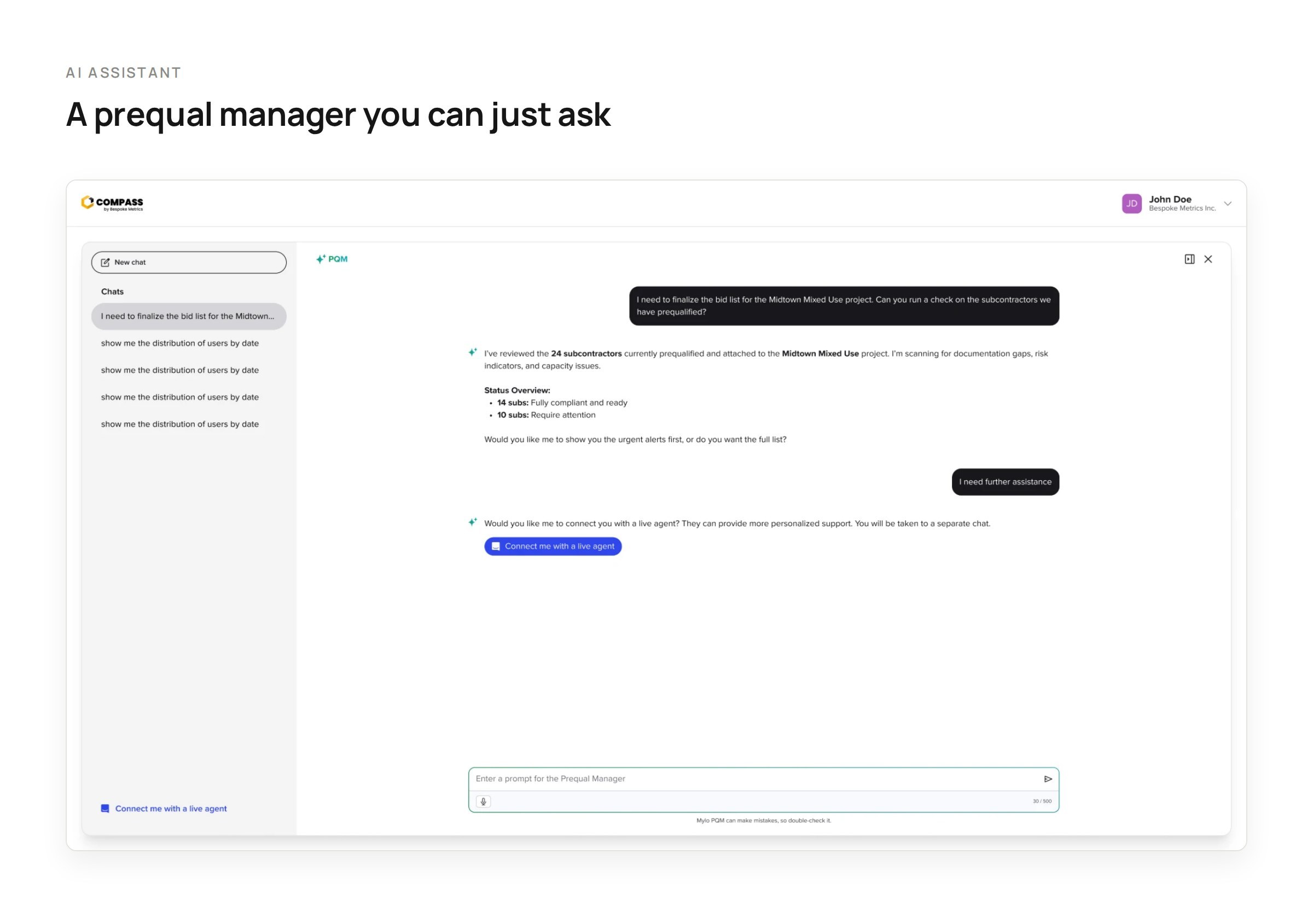
AI assistant: the prequalification manager checking a bid list and offering a live agent
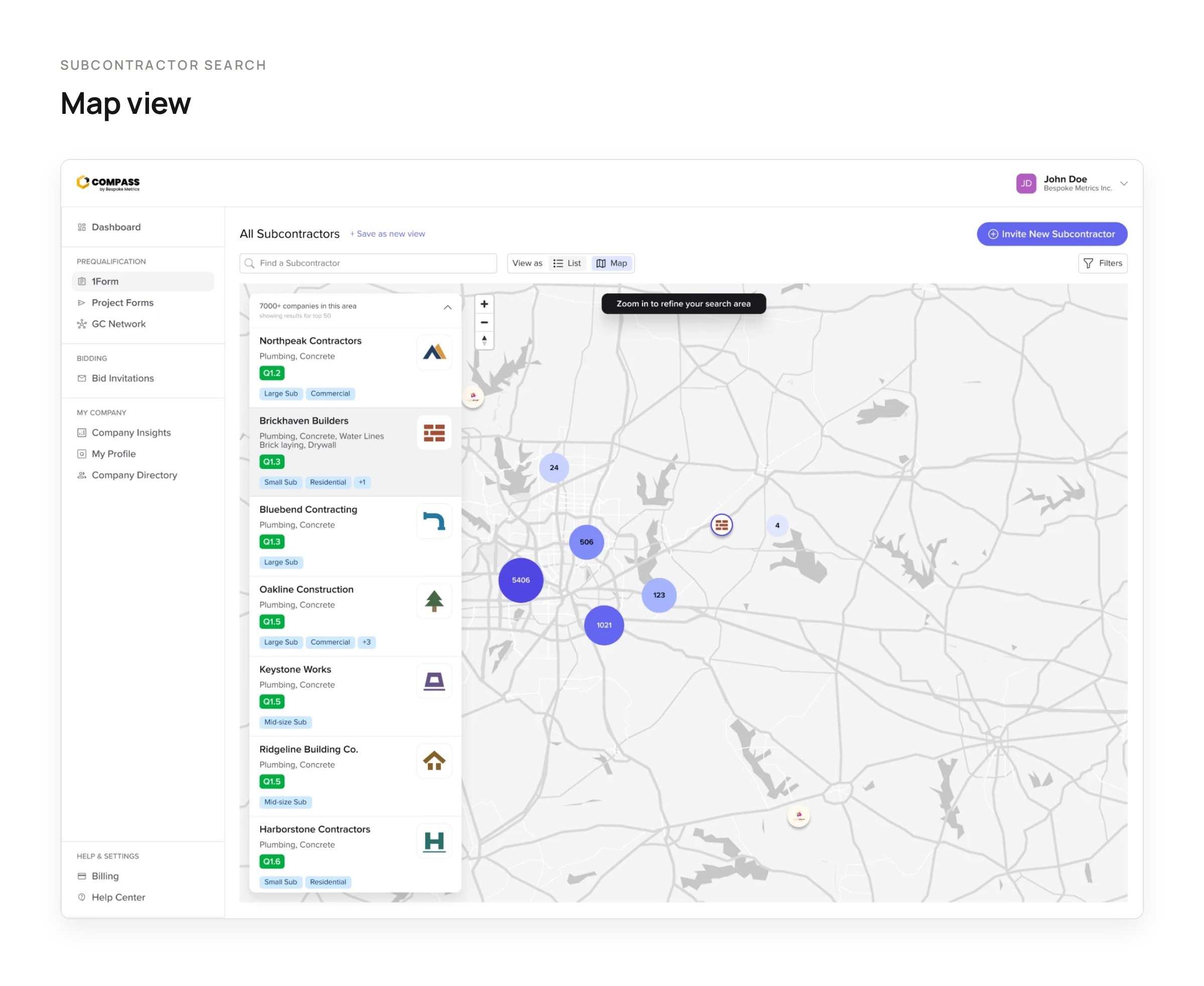
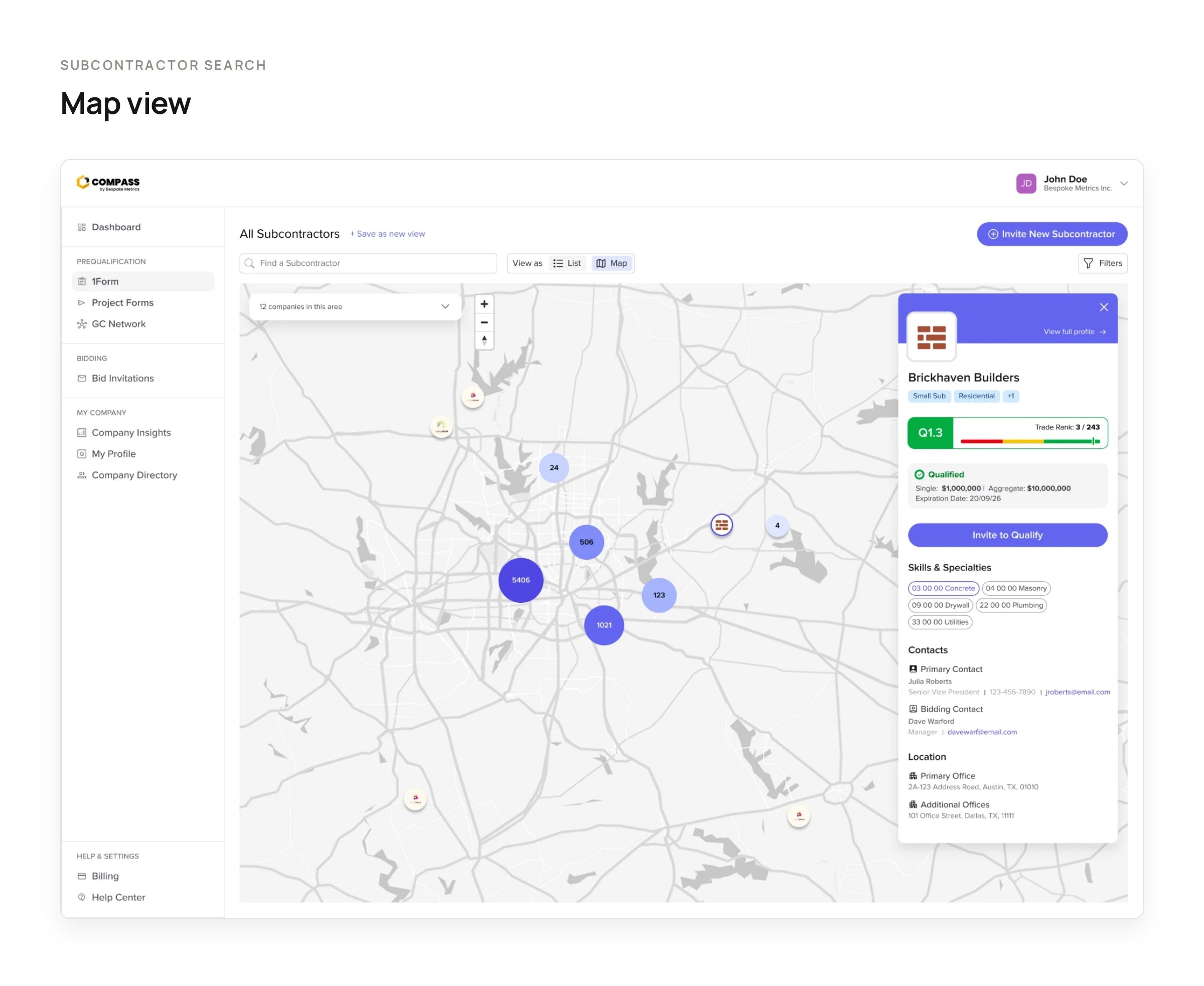
Subcontractor search: the new map view with a results list of the top companies in the areaSubcontractor search: the map view with Brickhaven Builders' profile open, showing its Q score, qualification, specialties and contacts
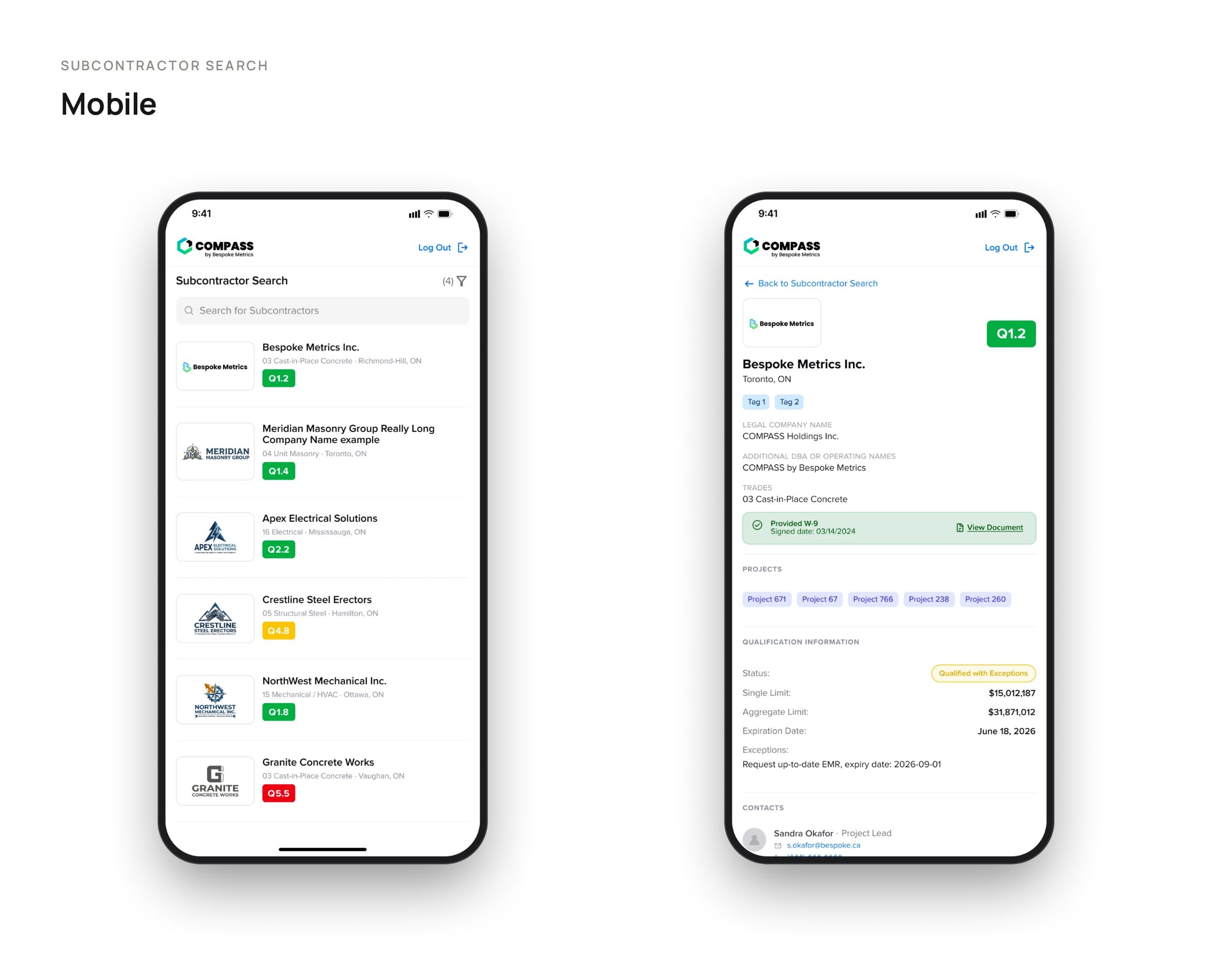
Subcontractor search on mobile: search results and a subcontractor profile
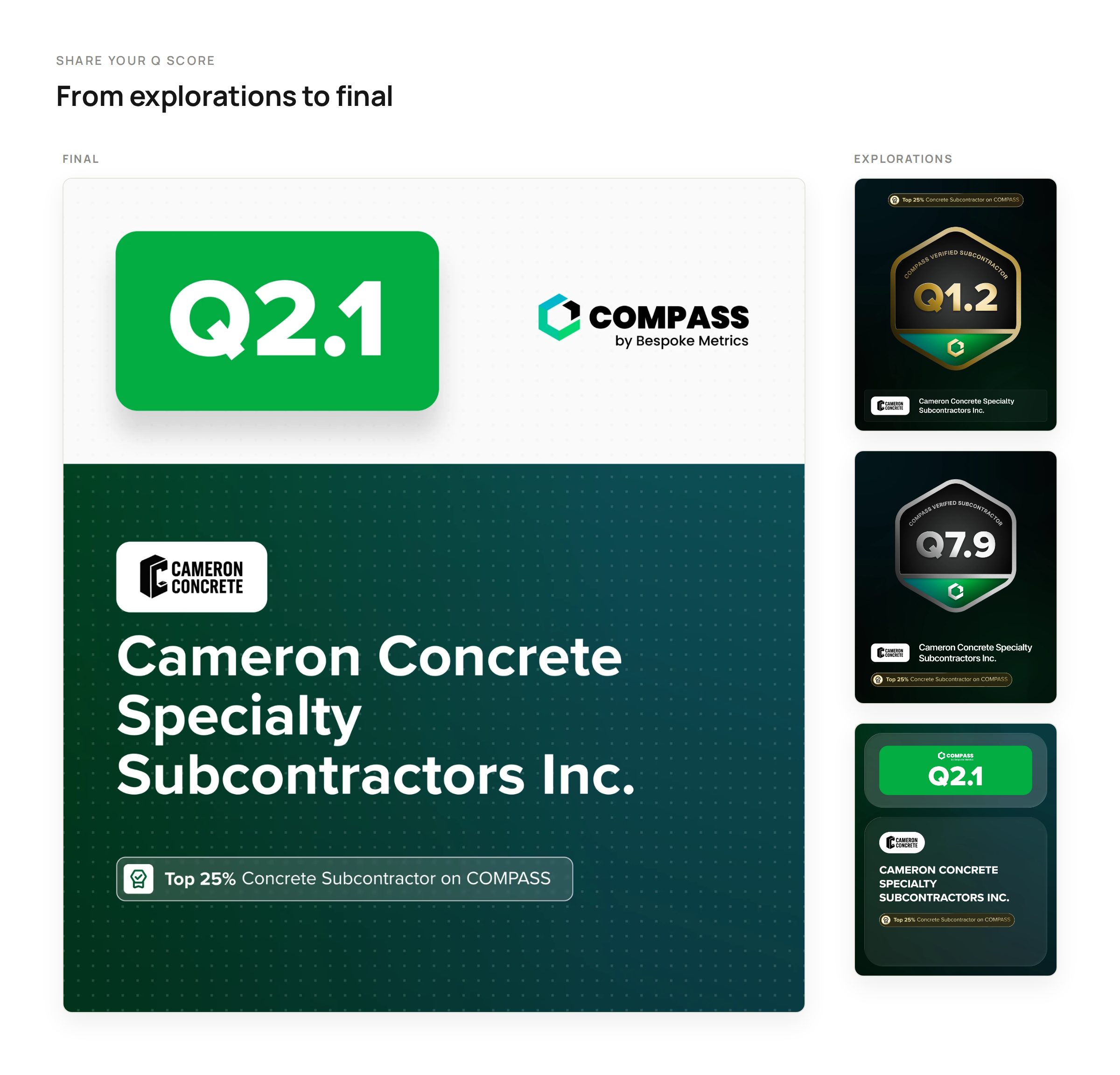
Share your Q score: the final LinkedIn graphic, with three earlier explorations beside it
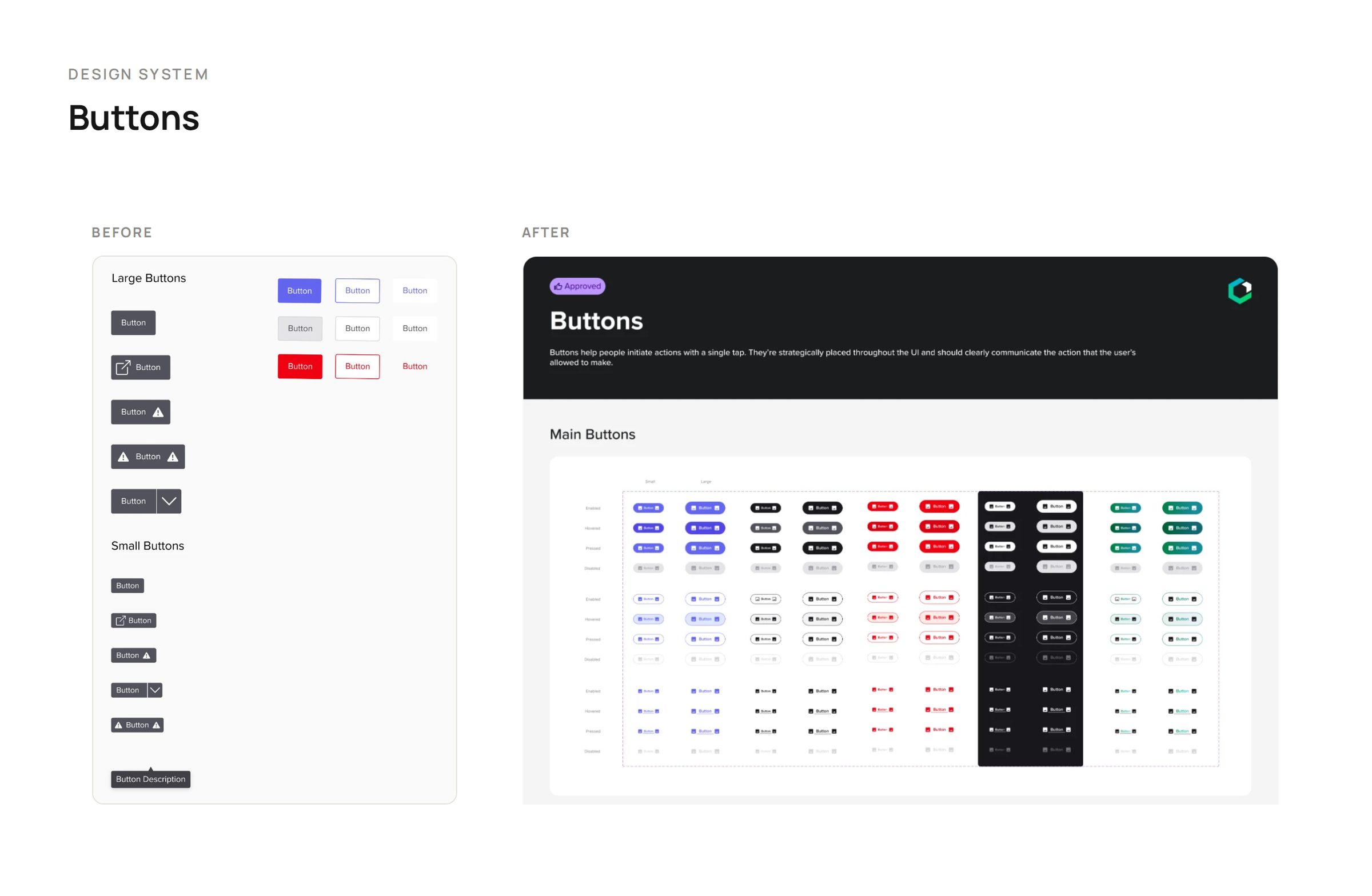
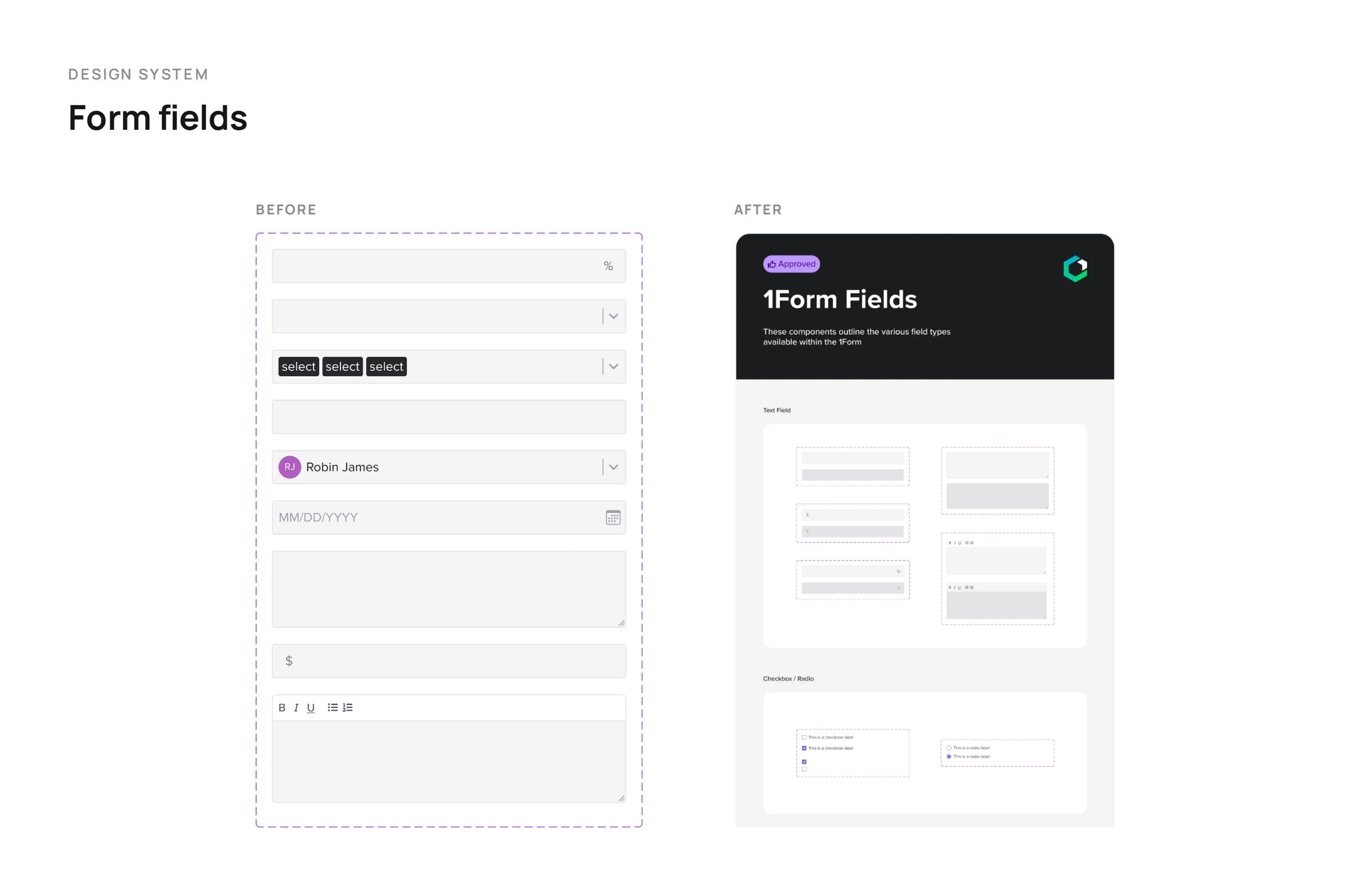
Buttons before and after: legacy buttons beside the documented button setForm fields before and after: legacy fields beside the documented 1Form fields